
Google Search Console for Beginners: A Key Tool for Tracking Website Performance
Google Search Console for Beginners is the first step toward understanding how your website performs, which queries bring visitors, and what improvements can help your pages gain better visibility in search results. A website’s search performance depends on more than publishing content and adding relevant keywords. Google Search Console is a free tool that provides insights into clicks, impressions, indexing status, and technical issues, helping users identify opportunities, resolve problems, and enhance your website’s search presence. This Google Search Console beginners guide explains how to set up the tool, understand its main reports, and use its data to support long-term organic growth.
Why Is Google Search Console Important for SEO?
A website can attract visitors from social media and paid advertising, but organic queries offer another way to reach people actively looking for information, products, or services. Search Console provides insights into your website’s performance and highlights areas that may need improvement. For SEO beginners, these insights provide a simple starting point for understanding website performance without relying on complex analytics.
Here are its main advantages:
● Measure search visibility: Discover how often your website appears in relevant results.
● Find indexing problems: Identify indexing issues by investigating pages that have not been indexed.
● Improve content performance: Identify pages receiving impressions but relatively few clicks.
● Monitor website health: Review relevant technical reports and alerts.
Key Google Search Console Reports Beginners Should Know
You can begin with the reports that provide the most useful insights into your website and explore the other features as you become familiar with the tool. Start with performance, indexing, and URL inspection to understand how your important pages appear in search results.
1. Performance Report
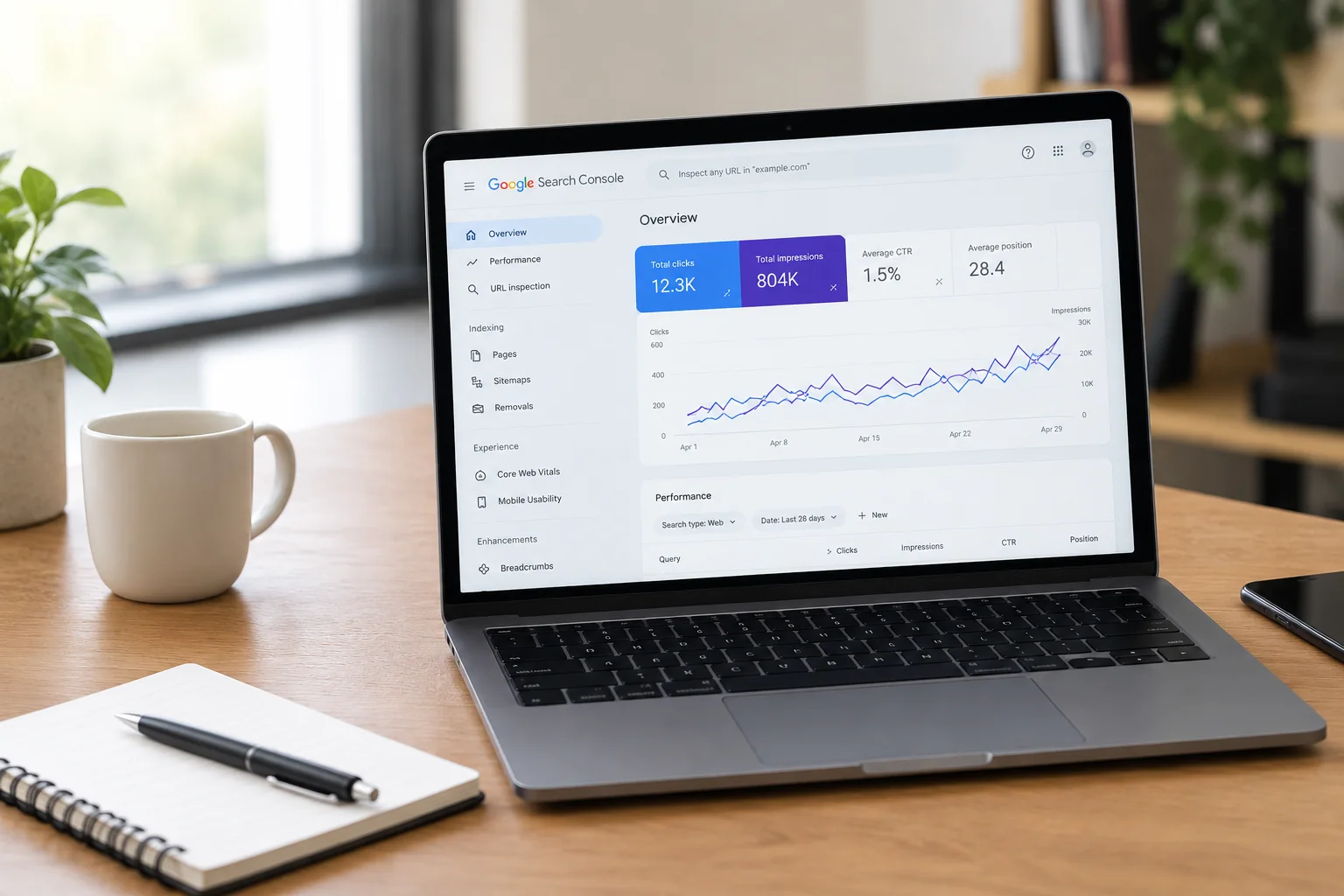
The Performance report provides insights into your website’s visibility and engagement in SERPs. You can examine queries, pages, countries, devices, and visibility, depending on the report available.
Focus on four main metrics:
| Metric | What It Tells You |
|---|---|
| Clicks | How many clicks your website received from Google Search results. |
| Impressions | How often your website appeared in Google Search results. |
| Click-through rate (CTR) | The percentage of impressions that resulted in clicks. |
| Average position | The average position of your website’s search result across recorded impressions. |
2. Page Indexing Report
Google Search Console’s Page Indexing report shows which URLs are indexed and explains why others are excluded, helping you identify important pages, such as your homepage, service pages, and valuable blog posts, that should appear in search results.
3. URL Inspection Tool
Use the URL Inspection tool to check a webpage’s indexing status, identify potential issues, and test the live page by entering its complete URL. If a newly published blog is not indexed, check its accessibility, indexing directives, and internal links. After fixing any issues, request indexing. However, this does not guarantee inclusion in search results or higher rankings.
A sitemap lists important page URLs for crawlers to discover and crawl. The Sitemaps report lets you submit a sitemap and check its processing status. Keep it updated with canonical URLs, remove outdated or inappropriate URLs, and fix submission errors. Internal links and other methods can also help discover pages, so a sitemap is useful but not mandatory for every website.
5. Core Web Vitals Report
Core Web Vitals reports provide field data about real users’ page experience, covering loading performance, responsiveness, and visual stability. This data can help you spot pages that require technical updates to improve their performance.
How to Find and Fix Common SEO Issues
Reports are easier to understand when you connect them to specific actions. This Google Search Console overview provides a practical starting point for common situations.
| Issue | What to Check | Recommended Action |
|---|---|---|
| Important page is not indexed | URL Inspection status | Check crawling access, noindex directives, and canonical settings. |
| Organic clicks have declined | Performance trends and affected pages | Compare dates and queries, then investigate changes. |
| High impressions but low CTR | Queries, titles, and snippets | Improve relevance and clarity without making misleading promises. |
| New blog is not appearing | Internal links, sitemap, and URL status | Ensure the page is accessible and request indexing if appropriate. |
When reviewing Google Search Console indexing issues, avoid treating every warning as an error. Read the specific reason, determine if the URL should be indexed, and prioritize changes that affect valuable pages.
A regular review helps you spot trends before they become larger problems. Use these practices to make your analysis more effective:
● Review performance monthly: Compare clicks, impressions, and queries over similar periods.
● Prioritize important pages: Check your homepage, key service pages, and high-value blog posts first.
● Connect data with actions: Use findings to guide content updates, technical fixes, and internal linking.
● Allow time for changes: Crawling and indexing may take days or weeks. Repeated indexing requests do not guarantee faster results.
For beginners, a simple monthly review is often enough to build familiarity with the reports and track changes over time. A useful starting routine is to review the Performance report, inspect important URLs, check sitemap status, and investigate any unexpected traffic changes.
.
Conclusion
Learning to use Google Search Console helps business owners and marketers make informed decisions about organic visibility, content performance, and website indexing. By monitoring key reports, investigating issues, and tracking changes over time, you can build a more effective SEO process. With regular practice, beginners can turn website performance data into practical actions that support better indexing, stronger content, and long-term organic growth.
Ready to improve your website’s search visibility and organic growth?. Explore Skybook Digital to learn how a focused SEO approach can support your website’s long-term growth.